ASO Plus Toolkit by Sensor Tower
ASO Plus complements AppMagic’s market research with enterprise-level ASO capabilities from Sensor Tower.
— Maria Bolshman

We are excited to announce the launch of ASO Plus! Sensor Tower’s premium App Store Optimization suite is now available to AppMagic customers, just a click away from our platform.
ASO Plus complements AppMagic’s market research with Sensor Tower's enterprise-level ASO capabilities. Available as a subscription add-on, it helps teams discover new high-potential keywords, track search performance, benchmark against competitors, and understand the factors that shape an app’s store presence.
The toolkit includes the following:
- ASO Keywords. Track, manage, and find keywords—and see exactly what your competitors are ranking high for.
- Review Analysis. Automatically surface what users love or hate without going through thousands of reviews (it’s pretty menial!).
- Rating Analysis. Understand why your rating has changed, which version caused it, and which countries are affected.
- Sense AI Keyword Suggestions & Smart Translate. Generate new keyword ideas in seconds using AI and localize your keywords for any market in one click.
- App Overview & Metadata Timeline. See every store listing change on a single timeline to connect updates to download changes instantly.
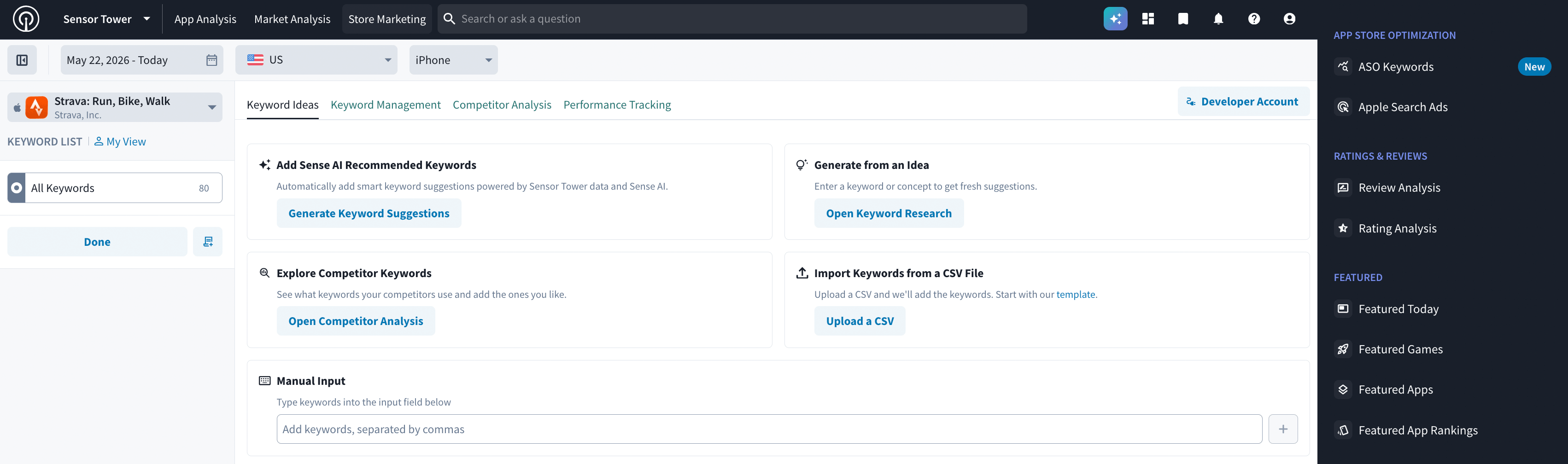
You can access ASO Plus tools from the Store Marketing section
Find the Right Keywords
Finding relevant keywords is one thing. Knowing which ones are worth targeting is another.
ASO Keywords helps uncover new terms by starting with your own seed keywords and exploring related suggestions, as well as terms that competitors already rank for. With Keyword Management layered on top of that, teams can add selected keywords to custom sublists and keep track of the ones that matter most to their strategy. Sense AI Keyword Suggestions take this even further by generating keyword ideas at scale.
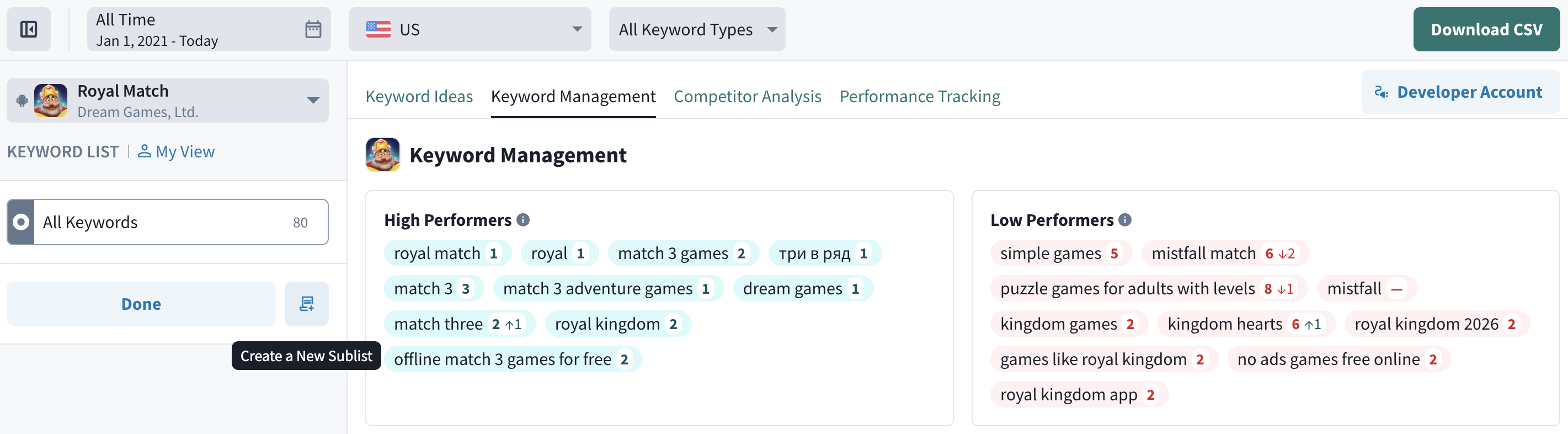
Keyword Management for Royal Match
From there, keywords get evaluated across a range of metrics, including Traffic Score, Keyword Rank, Opportunity Score, and Keyword Downloads. Together, they provide context on search demand, current visibility, and which keywords have the most potential for a specific app.
One of the key metrics here is Keyword Downloads, which no other SMB tool currently offers. Instead of looking at ranking alone, it estimates the number of downloads a specific keyword generates for an app. This makes it easier to compare keywords by estimated acquisition, not just search positions.
Difficulty Score and Keyword Density offer further insight into the level of competition and how keywords are used across app metadata, giving a more complete foundation for building an ASO strategy.
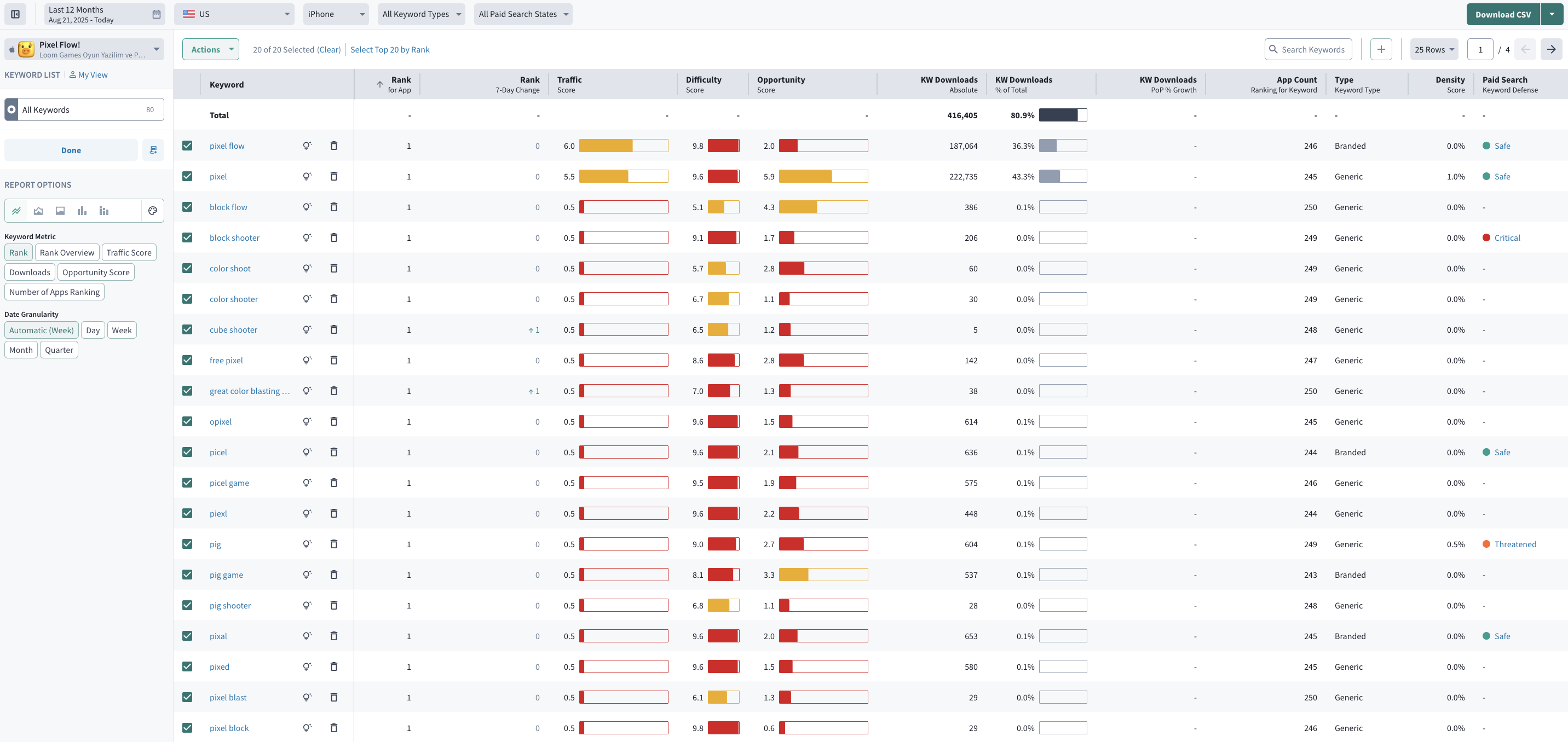
Keyword performance metrics for Pixel Flow under Performance Tracking
Track Keyword Performance Over Time
Once the target keywords are in place, Performance Tracking shows how they perform over time. Rather than looking at metrics at a single point in time, teams can follow changes in rank, estimated downloads, search demand, and keyword difficulty over days, weeks, or months. For greater clarity, performance can be broken down by branded, generic, and competitor keywords, with ranking and estimated download trends tracked against metadata updates.
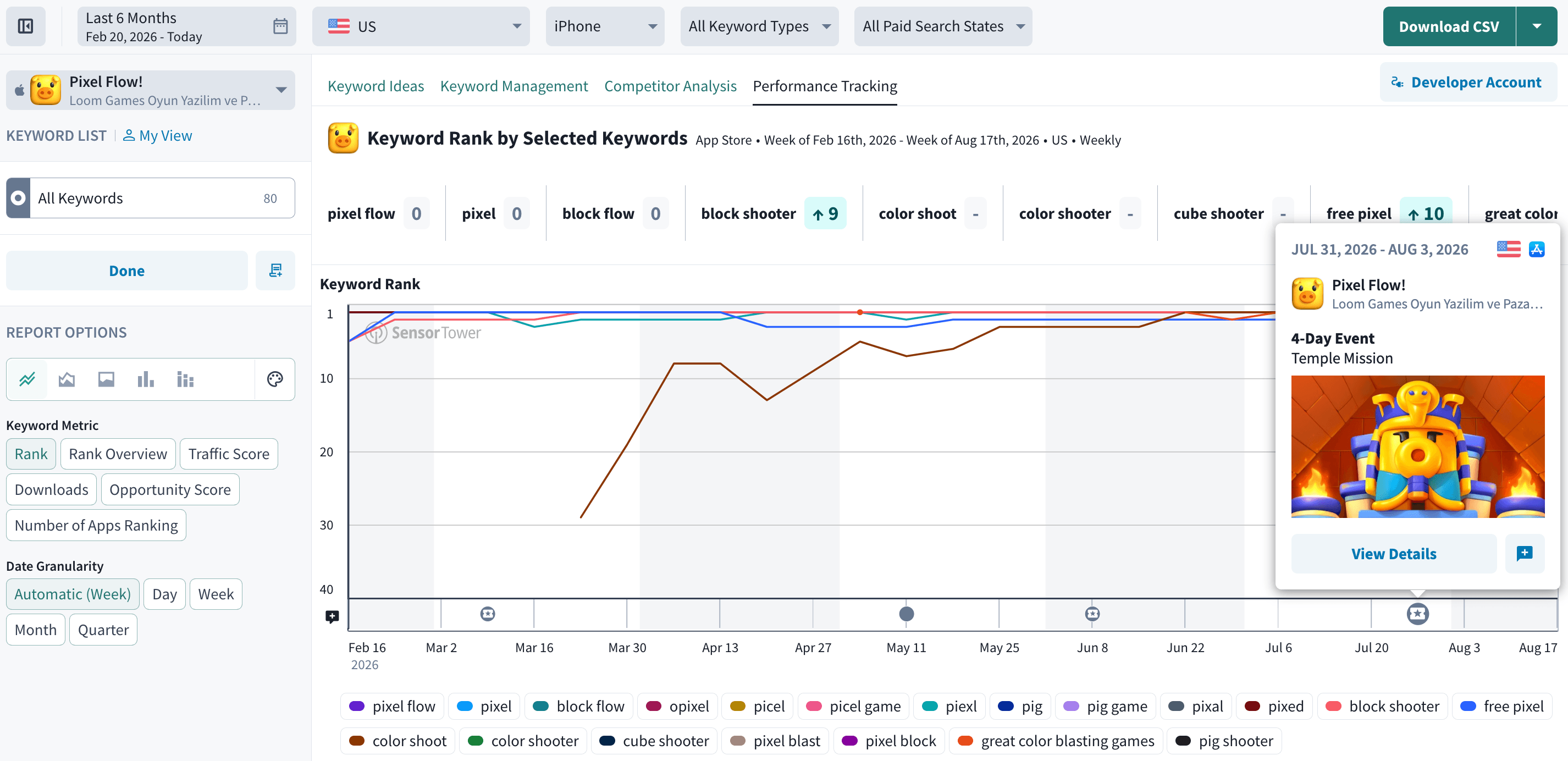
Keyword Rank over time for selected Pixel Flow keywords in Performance Tracking
Spot Gaps And Growth Opportunities
Competitor Analysis shows where keyword strategies overlap and, more importantly, where the gaps are.
Competing apps can be compared to see which terms they rank for, which ones are shared, and which relevant keywords may be missing from your own strategy. Add any of these directly to your custom lists to track them all in one place.
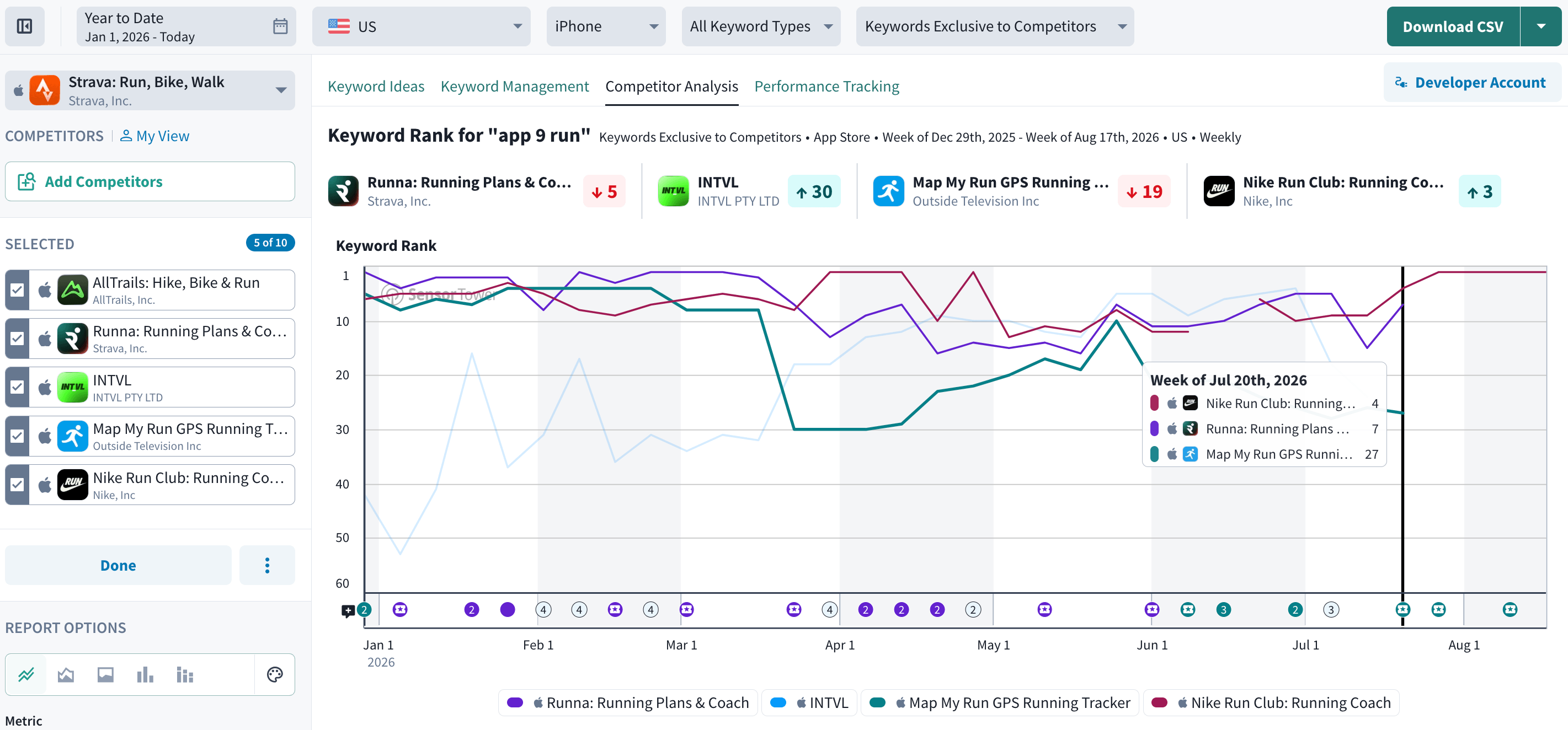
Competitor Analysis for Strava in ASO Keywords
This kind of analysis can help answer questions like:
- Which keywords give competitors search visibility that our app is missing?
- Which terms could be worth testing in the next metadata update?
And with the Paid Search metric added to the toolkit, it’s easier to identify apps bidding on a keyword through Apple Ads, providing additional context alongside organic search visibility.
Enhance Your Market Research Workflow
Sensor Tower’s ASO Plus covers the key areas where growth opportunities may be hiding, from researching keywords for an upcoming update to benchmarking against competitors, entering new markets, and monitoring an existing strategy.
With quick access from AppMagic, ASO Plus delivers enterprise-level data quality no other SMB platform offers in depth. That means teams can move seamlessly from researching the broader mobile market to analyzing a specific app's organic search performance within the same research workflow.